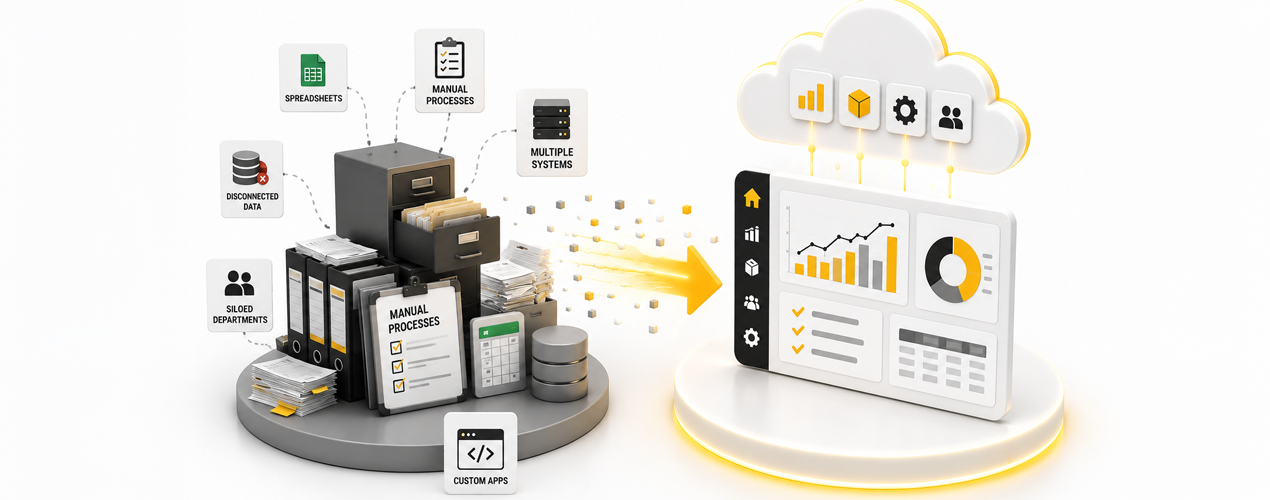
Many UK retailers and shippers run on ERP platforms that were implemented five, ten, or even fifteen years ago. These systems served well at the time. They handled order entry, stock control, and basic reporting. But the business environment has changed.
Customers expect near instant delivery. Marketplaces demand real time stock feeds. Warehouses need mobile scanning. Finance teams require automated payments reconciliation. Legacy systems struggle to keep up.
The move to cloud ERP eliminates downtime, hardware costs, and integration bottlenecks. However, a poorly managed migration can cause data corruption, order delays, and lost revenue.
This guide walks through each phase of a smooth transition. It is based on common patterns seen across hundreds of UK mid market businesses.
Why Legacy Systems Create Friction That Kills Margins
Think of a legacy ERP like an old van. It still runs. You know its quirks. You have a mechanic who knows how to fix it. But every journey takes longer than it should. It breaks down at inconvenient moments. And you cannot take it on motorways because it is too slow.
The hidden cost is not the software license or the server maintenance. It is the lost time.
Every manual stock adjustment, every copy paste between systems, every delayed dispatch because the system could not handle the volume, these all add up to a margin drain that is hard to see but very real.
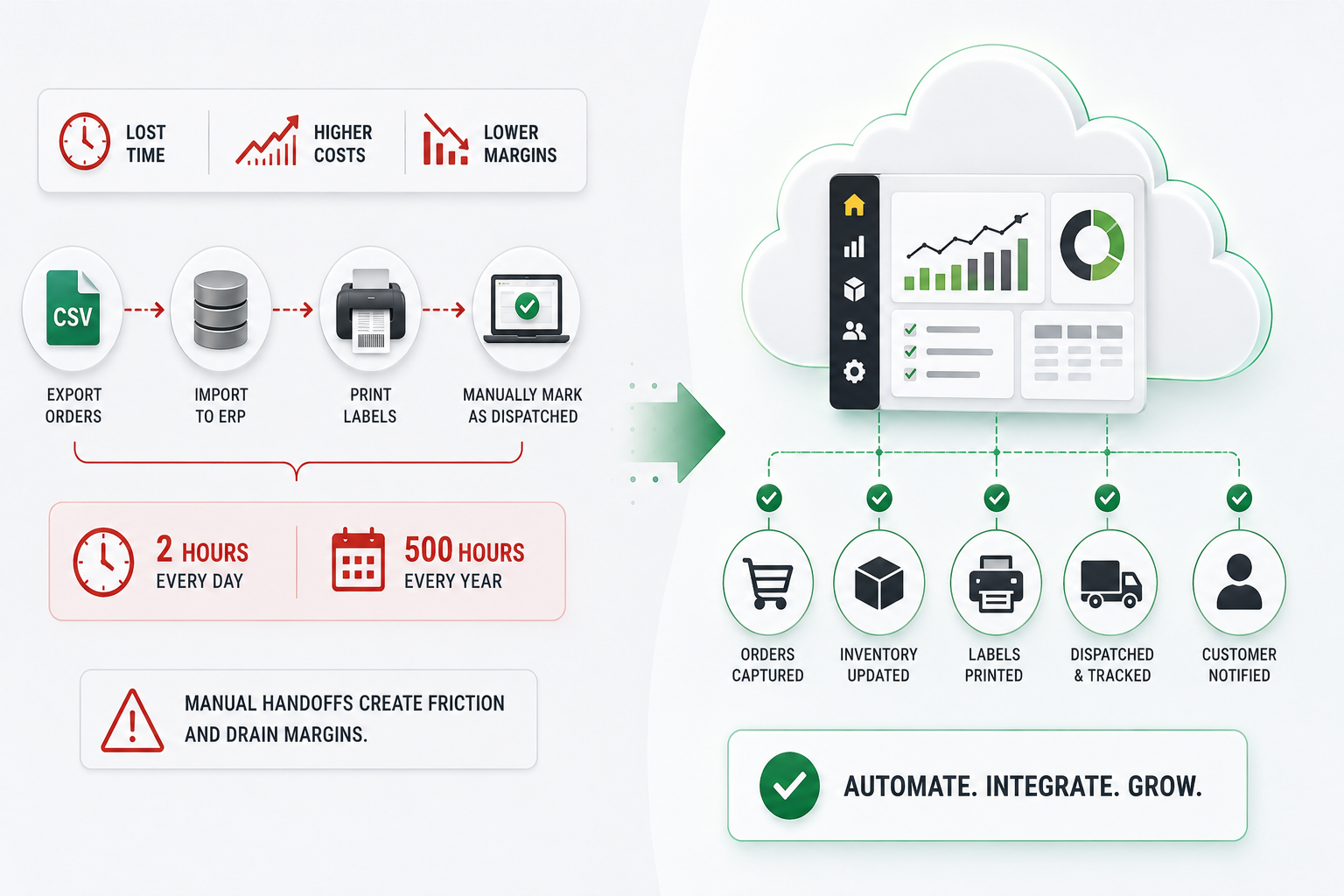
A common example is the retailer who still exports orders from their website into a CSV, then imports them into their ERP, then manually marks them as dispatched in the website after printing labels. This process consumes two hours of a staff member’s day. Over a year, that is 500 hours of labour that could be automated.
Cloud ERP eliminates these handoffs. But the migration itself requires careful planning.
Typical ERP Migration Timeline
The timeline varies depending on business size, data complexity, and integration requirements.
| Project Stage | Typical Duration |
| Discovery and System Audit | 1 to 2 Weeks |
| ERP Selection and Planning | 2 to 4 Weeks |
| Data Cleansing and Preparation | 1 to 3 Weeks |
| System Configuration | 2 to 6 Weeks |
| Data Migration and Testing | 1 to 3 Weeks |
| User Training | 1 to 2 Weeks |
| Go Live and Support | 1 Week |
| Optimisation Phase | Ongoing |
Most small and mid sized retailers complete a cloud ERP migration within four to twelve weeks.
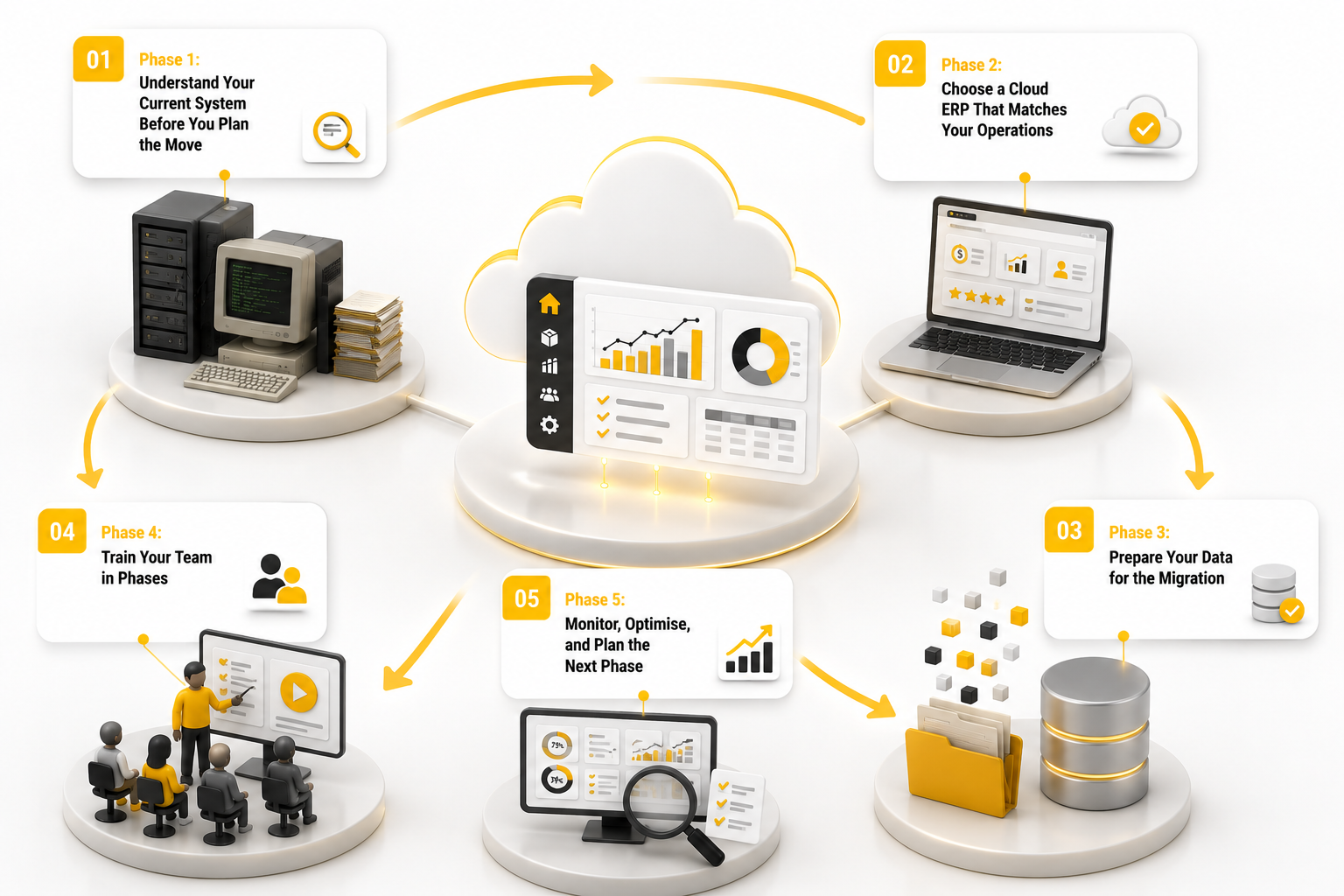
Phase 1: Understand Your Current System Before You Plan the Move
When a retailer decides to move to cloud ERP, the first instinct is to ask vendors for demos. That is a mistake.
Audit Product, Customer, and Order Data First
Every legacy system accumulates orphaned records, duplicated entries, and inconsistent formatting over the years. Part of this is human error. Part of it is because old systems did not enforce rules the way modern ones do.
Example: A product that was entered five years ago might have its brand field typed as “Nike” in one place and “NIKE” in another. If the new system treats those as different, you will see two brand groups and wonder why your reporting is wrong.
You will also discover products that are marked as active but have zero stock, no images, and no sales in three years. These clutter your catalogue and confuse your customers.
Map Order, Warehouse, and Finance Workflows
Feature lists sell software. Process mapping saves money. When you document how work actually happens in your business, you reveal inefficiencies that no vendor demo will ever show. Start with a simple order lifecycle. Draw a box for every step from customer clicking “buy” to the parcel leaving your warehouse. Include every person, every system, and every manual action. This map will look different from the idealised version your ERP vendor described five years ago.
Share the process map with your shortlisted vendors before the demo. Ask them to show you exactly how their system handles each step. If they cannot match your workflow without significant customisation, move on.
Integration inventory
List every external service connected to your current ERP: payment gateways, shipping carriers, accounting software, marketplace portals, marketing tools. Include whether each connection is via API, file upload, or manual entry.
Marketplace connections deserve special attention. Amazon, eBay, OnBuy, and others have specific requirements for stock feeds, order files, and pricing uploads. Confirm that the new ERP supports the exact fields each marketplace expects. Missing a barcode field can cause your products to be delisted. Also document whether each connection is real time, batch, or manual. Manual connections are prime candidates for automation in the new system.
User roles and pain points
Speak to your pickers first. They know which screens are slow and which reports are useless. Their frustrations will guide configuration priorities. Customer service agents will tell you about order lookup delays and return complexity that increase handle time.
Compile these pain points into a priority list ranked by frequency and impact. Share it with your ERP vendor and ask them to demonstrate how their system resolves the top five. A vendor that cannot give clear answers may not understand your operations.
Phase 2: Choose a Cloud ERP That Matches Your Operations
Not all cloud platforms are suited to retail and shipping. Some are built for professional services or manufacturing. Others are too generic, requiring extensive customisation.
When assessing vendors, focus on these five areas:
- Industry fit. Does the system handle your specific workflows? For example, if you manage direct dispatch from suppliers, confirm the platform supports that.
- Data migration track record. Ask how the vendor handles product categories, price lists, and historical orders. A clean import saves weeks of cleanup.
- Integration capability. The platform should connect to your existing payment gateways, shipping carriers, and accounting tools out of the box. Custom APIs should be available but not required for standard operations.
- Mobile functionality. Your warehouse and sales teams need real time access from phones or tablets. Test this during the demo.
- Support structure. Who helps you during go live? Is there a dedicated migration team? What is the response time for critical issues?
In the UK market, platforms like Vision ERP are specifically designed for retailers and shippers. They include built in websites, warehouse management, marketplace integrations, and payment processing. This reduces the complexity of connecting multiple separate systems.
Phase 3: Prepare Your Data for the Migration
Once you have selected a platform and cleaned your data, the actual technical migration begins.
Step 1: Build a sandbox environment
A sandbox is a safe copy of your future system where you test everything before go live. Import a subset of your real data using your top 500 products and most active customers. Dummy data hides edge cases like partial shipments or complex returns.
Test every workflow end to end. Place an order, pick it on a mobile device, print a label, and confirm stock updates. Run through returns and exchanges too. These are often overlooked and cause post go live problems.
Step 2: Identify gaps
No ERP will map perfectly to your existing processes. Run a structured gap analysis by comparing your process map against the new system’s capabilities. Assign a severity rating to each gap. Low severity means minor differences.
High severity may require custom development. Most gaps are medium severity and can be resolved by adjusting your process rather than customising the system. Customisations add cost and future upgrade risk. Ask whether your team can adapt. In most cases, adaptation is faster and cheaper.
Step 3: Parallel run
A parallel run means operating both systems simultaneously for one to two weeks. Enter every order into both. Compare stock levels and financial reports at the end of each day. Assign one person to be the reconciliation lead.
The parallel run builds confidence and reveals discrepancies before go live. If the new system processes orders accurately, you can proceed with the cutover. Minor discrepancies are acceptable if they are understood and resolved.
Step 4: Cutover weekend
Start on Friday evening after the last dispatch. Export final data from the legacy system including open orders and stock levels. Import into the new system and reconcile key metrics like total order value and stock value.
Point your domain and payment gateway to the new platform. Test a live order from the public website. Complete the switch by Sunday evening. Have a rollback plan ready but it is rarely needed if your parallel run was thorough.
Step 5: Keep the old system available
For at least one month after go live, keep your legacy system accessible in read only mode. Customer service may need to look up a historical order. Finance may need to reconcile a payment recorded before migration.
Set a date for decommissioning the legacy system, typically three to six months after go live. Archive the important tables in a searchable format. Cancel the maintenance contract once you are certain no one needs access.
Phase 4: Train Your Team in Phases
Training should not be a one day classroom event. Staff learn by doing.
Training approach that works:
- Week before go live: Short video guides for each role (pick, pack, customer service). Focus on what changed, not the whole system.
- Go live day: Floor walkers in warehouse and office. Someone stands next to each user for the first two hours.
- Week one: Daily stand up to discuss issues. Create a shared log of questions and solutions.
- Month one: Optional refresher sessions based on common mistakes spotted in the first weeks.
Document everything. Write simple one page cheat sheets for each department. Include screenshots of key screens. Store these in a shared folder.
Phase 5: Monitor, Optimise, and Plan the Next Phase
A cloud ERP is not a static purchase. It is a living platform that updates regularly.
Many UK businesses make the mistake of treating go live as the finish line. It is actually the starting point.
Here is what you should do in the months after migration:
- Review your reports. You now have real time data. Stop using exported spreadsheets for daily decisions. Build dashboards for sales, stock, and dispatch performance.
- Connect additional channels. If you moved only your website during migration, now is the time to add marketplaces like Amazon, eBay, or OnBuy.
- Automate manual tasks. Look at every recurring manual action – sending invoices, updating prices, creating purchase orders. See if the system can do it automatically.
- Train beyond the basics. Once users are comfortable, show them advanced features like bulk editing, automated reorder points, or customer segmentation.
- Review your support agreement. Confirm that you have the right level of support for your current needs. You may want to adjust after the initial post go live period.
Cloud platforms like Vision ERP release new features regularly. Allocate time each quarter to review the release notes and adopt improvements that benefit your team.
A Real Example: The Retailer Who Waited Too Long
Consider a UK homewares retailer with 5000 products and three warehouses. Their legacy ERP was installed in 2006. It could not handle real time stock updates. The warehouse team had to manually enter stock adjustments every morning. Marketplace orders were imported via CSV three times a day.
They knew they needed to move but kept postponing because the migration felt too disruptive.
Over two years, they lost an estimated £120,000 in missed marketplace sales because stock data was never live. They wasted £40,000 in overtime for manual data entry. And they paid £18,000 in emergency IT support fees to keep the old server running.
When they finally migrated to a cloud ERP, the project took six weeks. The payback period was four months.
The cost of waiting is almost always higher than the cost of migrating.
Final Thoughts
Switching from a legacy system to cloud ERP is a significant project, but it does not need to be painful. The key is methodical preparation, honest data cleaning, and phased execution.
Get a free consultation and migration plan to your business. See how Vision ERP can modernise your operations, reduce costs, and help you scale faster.