
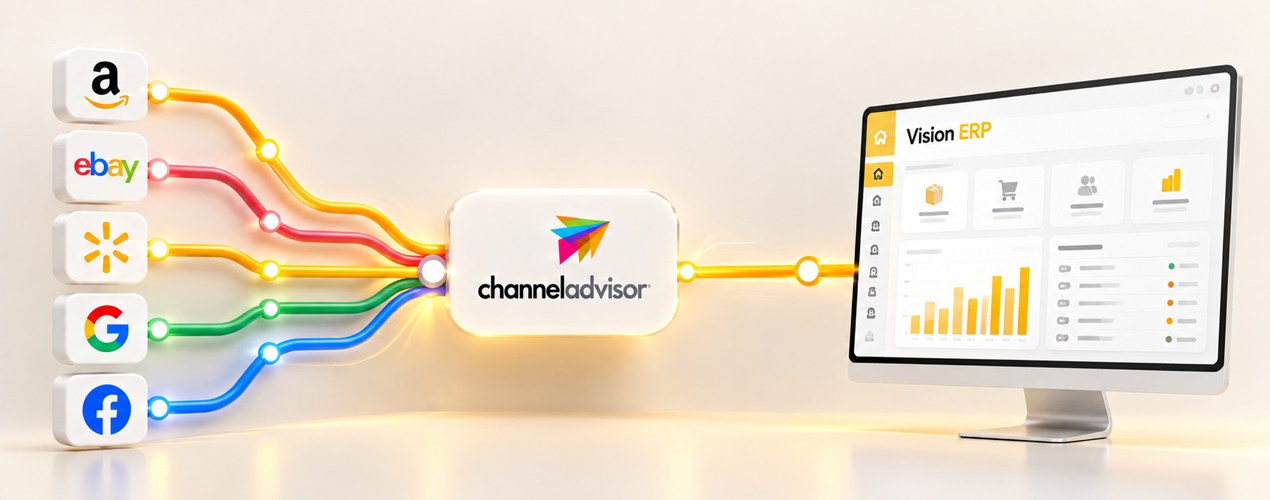
ChannelAdvisor helps brands and retailers sell across Amazon, eBay, Walmart, Google, Facebook, and hundreds of other marketplaces. It manages listings, pricing, orders, and advertising from one dashboard. That is its strength, and it is also the source of the problem most retailers hit.
The platform is a channel management layer, not your system of record. Your ERP still owns the stock, the orders, and the money. When ChannelAdvisor and your retail systems do not talk, every sale becomes manual work. Someone rekeys the order, someone edits stock twice, and the customer waits while two systems decide who is right.
This guide covers the integration options and the data flows that keep listings, stock, and orders consistent across every channel.
What ChannelAdvisor Is (and Is Not)
ChannelAdvisor started as a multichannel commerce platform in 2001. It grew into one of the most widely used marketplace tools in the industry. CommerceHub completed its acquisition of ChannelAdvisor in November 2022. The combined network spans more than 18,000 customers and over $50 billion in gross merchandise value. It also opens access to more than 400 marketplace and retail channels. In late 2023 the combined business was rebranded as Rithum, though most retailers still call the platform ChannelAdvisor.
What ChannelAdvisor does well is channel operations. It structures product data for each marketplace, applies pricing rules, centralises orders from multiple channels, and feeds performance data back to you. It does not run your warehouse, manage your purchasing, or keep your financial records. Those jobs belong to your ERP.
The line between the two matters. If ChannelAdvisor becomes your single source of truth, you end up with two versions of stock and two versions of orders. Treat it as a gateway to your marketplaces instead. Keep your ERP as the record of truth. The integration then becomes a set of controlled data flows, not a daily argument.
Why Your Retail Systems Need to Connect
Without an integration, every marketplace sale creates a chain of manual steps. The order appears in ChannelAdvisor. Someone types it into the ERP. Stock is adjusted by hand, and the warehouse picks from a printed list. Each step looks small. Together they cost hours per week, and they invite the exact errors that damage margins and trust.
Overselling is the most visible failure. A marketplace lists stock your warehouse no longer has because the two systems never received the same update. Stockouts happen in reverse, when an item sits in your warehouse but shows unavailable to buyers. Both outcomes lose revenue. We covered the mechanics and the real cost of double entry in omnichannel retail in an earlier guide. The short version is simple: every manual handover is a risk you pay for in time, refunds, and goodwill discounts.
Integration replaces those handovers with automated data flows. Listings update when your product data changes. Stock moves when your warehouse moves. Orders arrive complete in your ERP and fulfilment updates flow back to the buyer.
The Four Ways to Integrate ChannelAdvisor
There is no single correct integration method. The right one depends on the systems you run, the volume you process, and whether you have technical resource in house.
| Method | Best for | What it involves |
|---|---|---|
| Native app integrations | Retailers using a supported cart | Install the ChannelAdvisor app in Shopify, BigCommerce, Magento, or WooCommerce. Listings and orders sync without code. |
| REST API | Brands with developers or an ERP partner | Connect directly using OAuth. Push products, prices, and stock; pull orders; upload tracking. |
| File based integration | Legacy systems without APIs | Exchange CSV or XML over FTP or SFTP on a schedule, usually every few minutes. |
| Middleware or iPaaS | Multiple systems and complex logic | Use Celigo, Tray.ai, or similar platforms to map and route data between ChannelAdvisor and your stack. |
| Partner led integration | Retailers running a managed ERP | An integration partner builds, maintains, and monitors the connector for you. |
Native app integrations are the fastest start. A Shopify seller can connect ChannelAdvisor in an afternoon. The limit appears when you grow past one cart, because the stock truth still lives in your ERP. Every store, marketplace, and warehouse must draw from the same number. That pulls you toward API based or partner led integration.
What the ChannelAdvisor API Can Move
The modern ChannelAdvisor API follows the REST pattern. It uses OAuth for authorisation. Separate sandbox and production environments let you test before anything touches live channels. The official documentation now sits in the Rithum API documentation on the ChannelAdvisor knowledge centre.
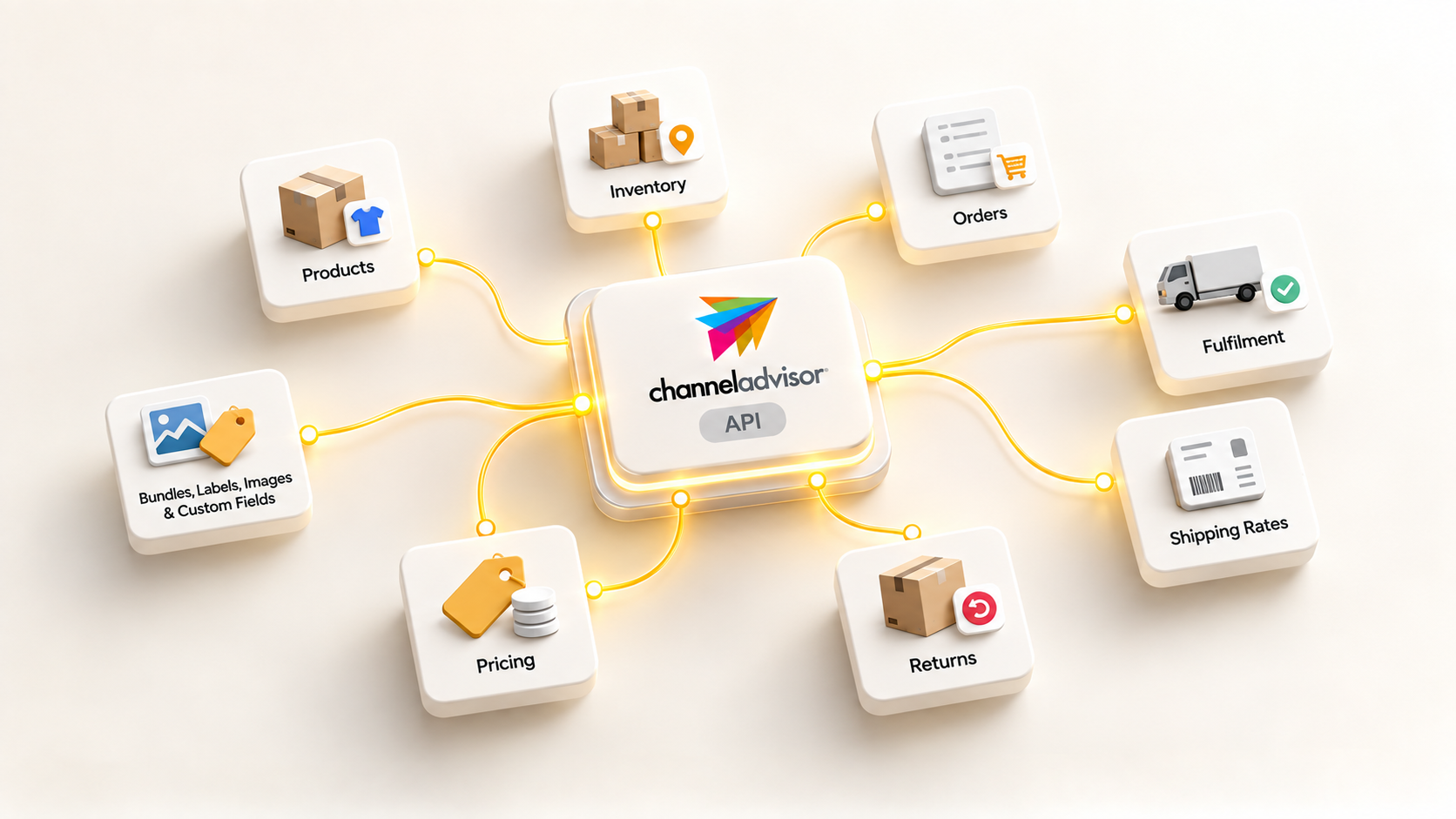
The API covers the data flows most retailers need:
- Products, including create, update, export, and channel specific attributes.
- Inventory quantities and inventory entities, so you can push stock levels per warehouse or location.
- Orders, including retrieve, confirm, cancel, refund, taxes, and promotions.
- Fulfilment records, shipment status, and tracking number uploads.
- Shipping rates and label generation.
- Buyer initiated returns and refund workflows.
- Pricing, bundles, labels, images, and custom fields.
Batch requests matter at scale. Rather than sending one API call per order, a well built integration batches thousands of records and handles them on a schedule. That keeps channel latency low without hammering the API.
How to Integrate ChannelAdvisor With Your ERP
The steps below describe a typical ERP integration. The sequence is the same whether a developer builds it or a partner runs it.
- Confirm developer access: Request a developer account and verify access to the sandbox environment before anything touches production.
- Map every SKU once: Your ERP product codes must line up with the identifiers ChannelAdvisor sends to each channel. Most data errors trace back to this step.
- Map channels to locations: Decide which warehouse or store fulfils each channel so stock is deducted from the right place.
- Push product data and prices out: Send titles, descriptions, prices, and promotions to ChannelAdvisor so listings stay accurate and channel compliant.
- Set stock sync rules: Send available quantity on a schedule or on every change, with a buffer if you want protection against overselling.
- Pull orders into the ERP: Adopt confirmed marketplace orders, including shipping address, prices, and tax, without rekeying.
- Send fulfilment back: Upload shipment status and tracking numbers to ChannelAdvisor so buyers and marketplaces receive updates.
- Close the loop on exceptions: Process refunds, cancellations, and buyer initiated returns so stock and money return to the right place.
- Reconcile settlements: Match marketplace fees, tax, and payouts against your accounts so month end becomes a review rather than a hunt.
- Test, monitor, and alert: Run the sandbox, watch the sync logs, and alert on failures before customers feel them.
The Data Map Every Integration Needs
Before building anything, agree the direction and purpose of each data flow. This table is the contract between the two systems.
| Data | Direction | Why it matters |
|---|---|---|
| Product and listing data | ERP to ChannelAdvisor | Titles, descriptions, images, and identifiers stay accurate and compliant per channel |
| Price | ERP to ChannelAdvisor | Pricing rules, promotions, and currency updates flow out automatically |
| Stock quantity | ERP to ChannelAdvisor | Available quantities update so marketplaces never sell what you do not have |
| Orders | ChannelAdvisor to ERP | Sales from every channel land in your order management software without rekeying |
| Fulfilment and tracking | ERP to ChannelAdvisor | Shipment status and tracking numbers reach the buyer and the marketplace |
| Returns, refunds, cancellations | Both ways | Exceptions reconcile against stock and finance in the ERP |
| Fees and settlements | ChannelAdvisor to finance | Marketplace fees, tax, and payout values match what lands in your account |
Mistakes That Cost Money
Most integration failures are not technical. They are mapping and design decisions made early, then paid for monthly.
Sync lag causes overselling. If stock updates run every six hours and you sell fast, buyers will order stock that no longer exists. Choose an update interval that matches your volume, and add a safety buffer if your fulfilment varies.
SKU mismatches corrupt everything downstream. When the ERP code, the ChannelAdvisor identifier, and the marketplace listing disagree, orders arrive with the wrong product. Warehouses ship the wrong item as a result. Fix the mapping before you automate.
Ignoring fees and tax breaks reconciliation. Marketplace fees, VAT, and settlement timing differ by channel. If finance does not receive that detail, your accounts will not match reality, and someone will spend days chasing the difference.
Returns are easy to forget. A return that does not flow back into stock and finance quietly writes down your margin. Include buyer initiated returns in the integration from day one.
No monitoring means silent failure. An integration that breaks overnight and goes unnoticed for a week has already caused overselling, late shipments, and refunds. Alert on failures, and review sync logs as part of your routine. A centralised order system gives your service team the full picture when things go wrong. They can answer customers from one record instead of several fragments.
Store Integrations Are Only Half the Answer
Shopify, BigCommerce, Magento, and WooCommerce all connect to ChannelAdvisor, and those connections work well for managing listings on each storefront. The gap appears behind the storefront.
Your storefront is not your operation. The stock your website shows and the stock your warehouse holds must match across every channel, not just one cart. That single number lives in your ERP. A native cart integration does not solve stock allocation across warehouses, purchasing, or finance. Full omnichannel retail ERP software connects the storefront, the marketplaces, and the warehouse to one record of truth. That is where the ChannelAdvisor integration earns its keep.
When Middleware Helps (and When It Adds Cost)
Middleware platforms such as Celigo, Tray.ai, and others sit between ChannelAdvisor and your systems, mapping fields and routing data without custom code. They earn their keep when you have several systems to connect, unusual field transformations, or a legacy ERP with no modern API.
The trade off is another system to run and pay for. If you use one ERP with one ChannelAdvisor account, direct integration is simpler and easier to support. An API build or a partner route usually beats a middleware layer. The architecture should follow your actual complexity, not a vendor’s catalogue.
The Partner Route for UK Retailers
Sapio Systems is a ChannelAdvisor technology partner. The inventory management software and order processing inside Vision ERP are built to connect with ChannelAdvisor channels without third party patches. The integration is designed around the data map above, run as a managed service rather than a project you maintain alone.
ChannelAdvisor remains a powerful gateway to the marketplaces where your customers shop. The question is whether the data flowing through it stays consistent with your warehouse and your accounts. With the connection designed properly, listings stay live and stock stays honest. Orders move from marketplace to fulfilment without a keystroke in between.
If you would like to see how ChannelAdvisor connects to a single system of record, book a demo with Sapio Systems. We will map your channels and show you the integration before you commit.